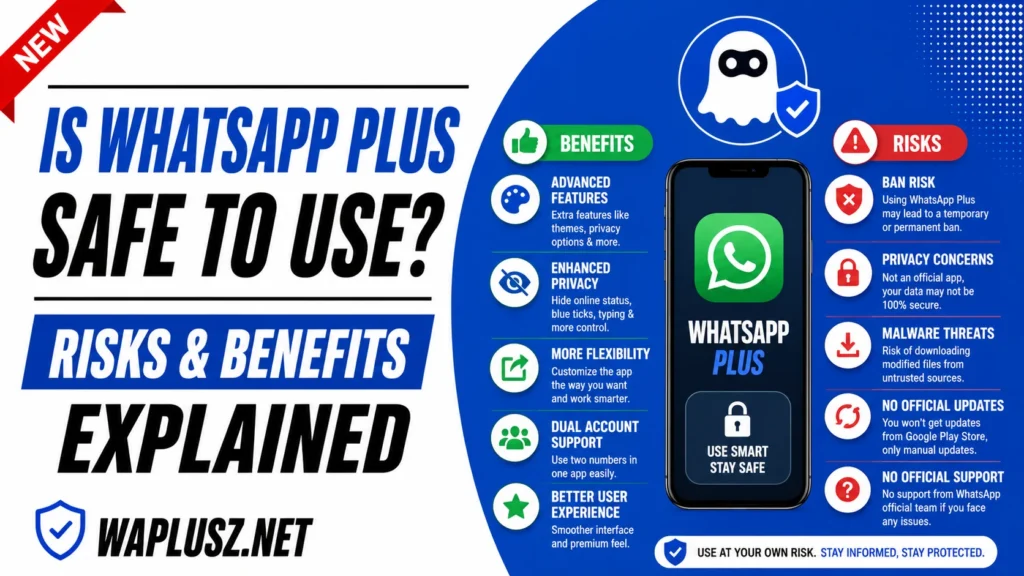
Is WhatsApp Plus Safe to Use? Risks & Benefits Explained
The safety question around WhatsApp Plus is the one people ask most and get answered worst. Download pages say yes, virus-free, fully tested, completely safe. Security articles say no, absolutely not, uninstall immediately.
Neither is a useful answer. This guide gives you the actual picture, which is more nuanced than either camp admits and lets you decide for yourself.
The Short Answer
WhatsApp Plus is not safe in the way official WhatsApp is safe. It’s an unverified app from an anonymous developer, distributed outside any app store, with full access to your private messages and no way for anyone to check what it does with them.
That doesn’t mean it’s malware. It means nobody can tell you it isn’t, including the people selling you the download.
The rest of this page explains what that actually means for you.
What “Safe” Actually Means Here
Safety isn’t one thing, and lumping it together is how both sides of this argument mislead people. There are four separate questions.
| Question | Answer |
|---|---|
| Will it damage my phone? | Probably not, and it depends entirely on your build |
| Can it read my messages? | Yes, by design, and so can the official app |
| Is anyone accountable for it? | No |
| Will my account get banned? | Possibly, and the risk never goes away |
The second row surprises people. Every messaging app reads your messages, because it has to display them. The difference isn’t access, it’s accountability.
The Repackaging Problem
Here’s the mechanism that makes mods risky. A modified app is built by taking the original, changing it, and rebuilding it. Anyone with the skills can do this, and anyone can add whatever they want during the rebuild.
That’s how the features got there. It’s also how anything else would get there.
The build you download went through this process, and you have no way to know who did it or what they added. The developer’s name on a website is a name on a website.
Why Virus Scans Don’t Settle It
Download pages love publishing scan results. Zero out of ninety-two engines, clean, verified. It looks like proof and it isn’t.
A virus scanner matches files against known malware signatures. It catches things that have already been catalogued. It cannot tell you whether an app quietly sends your messages to a server, because that isn’t malware, it’s a feature the developer chose to include.
A clean scan and a data-harvesting app look identical to a scanner. That’s not a scanner flaw, it’s the wrong tool for the question.
Worth knowing too: published scan results are trivially faked. A screenshot is a screenshot. If a page shows a hash, a real SHA-256 is 64 characters, and the truncated ones you’ll see on some sites are made up.
What You Can Actually Check
Limited, and not nothing.
- Permissions on install: Anything unrelated to messaging is a stop sign. A messenger has no business with your call logs or your location on startup.
- Data usage: Check your phone’s data stats for background traffic that doesn’t match your use.
- Battery drain: Unexplained drain can mean background activity you didn’t ask for.
- Behaviour after install: New ads, redirects, or apps appearing are the obvious red flags.
- File size sanity: A build wildly larger than expected is worth questioning.
None of these prove a build is clean. They can reveal one that isn’t.
The Real Risks, Ranked
1. Account Ban
The most likely thing to actually happen to you. Detection is ongoing, bans come in waves, and no build prevents it. If you use a mod long enough, this is a question of when.
2. Loss of Message History
Underrated and very common. Mod backups live locally rather than in Google Drive, so a broken app, a lost phone, or a ban can take years of conversations with it.
3. Data Exposure
You cannot verify what the app does with your messages. Most builds are probably fine. “Probably” is doing a lot of work in that sentence, and you have no way to narrow it.
4. Malware in a Tampered Build
The dramatic risk and the least likely for most users, though repackaged messengers are a genuinely known distribution route. The danger rises sharply with obscure builds from obscure sources.
5. Others’ Data
The one nobody mentions. Your contacts didn’t choose your app. If you’re running client conversations or family chats through an unverified client, you’ve made that decision for them too.
The Real Benefits
Being fair matters, since a page that only lists risks is as unhelpful as one that only lists features.
- Customisation the official app doesn’t offer: Themes are genuinely unmatched.
- Privacy toggles that work: Freeze last seen, hide typing, per-contact rules. These do what they say.
- DND mode: Solves a real problem the official app ignores.
- Anti-delete: Works reliably and people like it.
- Status downloader: Fast and preserves quality.
- Auto reply on a personal number: Useful for small business owners.
These are real. Anyone dismissing the mod entirely is ignoring why millions of people use it.
What’s Changed Recently
The safety calculation has shifted, and it’s worth knowing which way. Official WhatsApp has added chat locks, dual accounts, translation, HD media, and more privacy controls over the last few years.
The gap that justified the risk has narrowed. Several features people install mods for now exist officially, for free, with no downside.
What’s left that’s genuinely unique is customisation and the stealth toggles. If those aren’t what you’re after, the trade has got worse.
Who Should and Shouldn’t Use It
Probably fine
- You have a spare number you don’t rely on.
- Your chats are casual and losing them wouldn’t hurt.
- You want themes and stealth specifically.
- You back up regularly and understand the ban risk.
Probably not
- Your WhatsApp carries your business or clients.
- Your number is how family reaches you.
- You discuss financial, medical, or legal matters on it.
- You’d struggle to recover from losing the number.
- You’re handling anyone else’s sensitive information.
That second list isn’t caution for its own sake. It’s the difference between a ban being annoying and a ban being a genuine problem.
Using It More Safely
- Use a secondary number: The most effective single step available.
- Keep sensitive chats on official WhatsApp: Financial, work, medical.
- Back up weekly and copy it off your phone: A local backup on a phone you can’t access helps nobody.
- Check permissions on install and stop if anything’s unrelated to messaging.
- Watch data and battery for the first week.
- Enable two-step verification regardless of client.
- Turn off unknown sources after installing.
- Don’t bulk message: The fastest ban trigger and fully in your control.
The Honest Verdict
WhatsApp Plus offers real features and carries real, unquantifiable risk. The features are better than the official app in a narrowing set of areas. The risk is that you’re trusting an anonymous developer with every private message you send, and accepting that your number may stop working.
For a spare number and casual chat, that’s a reasonable trade to make with open eyes. For the number your life runs on, it isn’t.
Anyone telling you it’s completely safe hasn’t checked and can’t. Anyone telling you it’s definitely malware hasn’t checked either. The honest position is uncertainty, and the sensible response to uncertainty is not betting anything you can’t lose. The ban guide and encryption guide on WAPLUSOFICIAL.NET cover the specifics.