WhatsApp Plus Dual Account Management Run Two Numbers in One App
Many of us live two chat lives. One for work, one for everything else, and a phone that wasn’t built to keep them apart. Carrying two handsets is expensive and awkward, and juggling two apps that fight each other is worse.
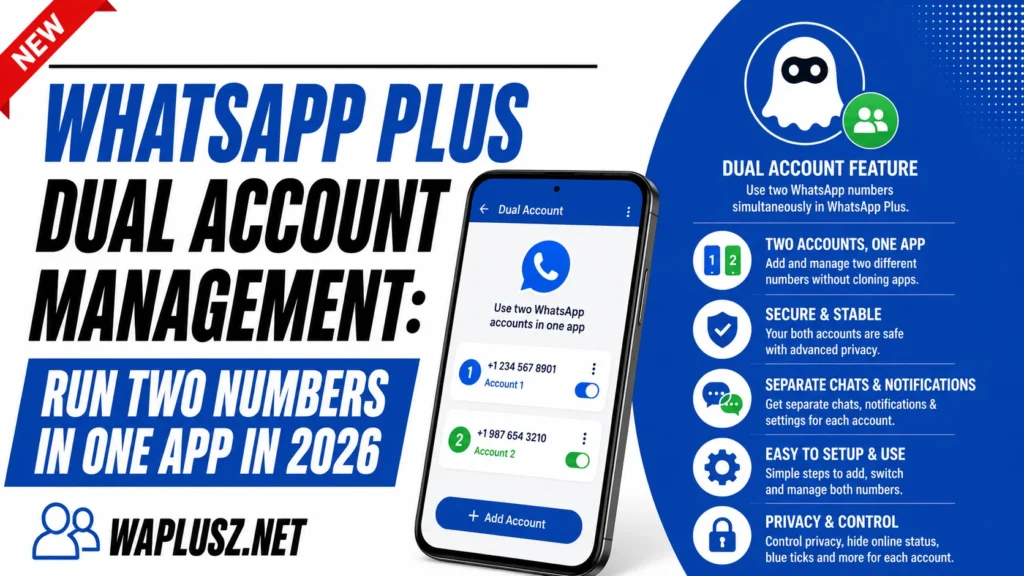
WhatsApp Plus lets you run two numbers from one place, which is one of the most practical reasons people install it. This guide covers how it works, how to set it up, and the officially supported alternative that’s now available.
What Dual Account Support Means
Dual account support means two separate WhatsApp numbers running in one app. Each has its own chats, contacts, profile, and settings, and switching between them takes a tap. Nothing bleeds between them.
The important word is separate. This isn’t one account with a second label, it’s two full accounts that happen to share an interface.
For anyone running a business number alongside a personal one, that separation is the whole point.
How It Works
The mod maintains two independent sessions inside one installation. Each number verifies separately with its own SMS code, and each keeps its own message store on your phone.
Switching accounts is usually a tap in the menu or a swipe, depending on the build. Notifications tell you which account a message arrived on.
Some builds go further and let you set a different theme per account, which turns out to be genuinely useful for knowing at a glance which one you’re in.
What You Can Separate
| Element | Separate per account? |
|---|---|
| Chats and message history | Yes |
| Contacts | Yes |
| Profile name and photo | Yes |
| Privacy settings | Yes |
| Themes and appearance | On most builds |
| Auto reply message | Yes |
| Notification sound | Yes |
| Backups | Yes, stored separately |
| Phone number | Yes, required |
| The app’s ban risk | No, both accounts share it |
That last row is the one to sit with. Two accounts in a modified client means two numbers exposed to detection, not one. The convenience is real and so is the doubled risk.
How to Set Up a Second Account
- Open WhatsApp Plus and go to the main menu.
- Look for the accounts entry, sometimes labelled dual account or clone.
- Tap add account to start the second setup.
- Enter your second number and request the verification code.
- Verify with the SMS code sent to that number.
- Set up the profile with a name and photo for that account.
- Restore a backup if you have one for that number.
- Configure the settings separately, since they don’t carry over.
- Set a different notification sound, which saves confusion later.
Step nine matters more than it looks. Two accounts with identical alerts means reaching for your phone with no idea which life is calling.
Practical Setups That Work
- Work and personal: The obvious one. Different profile photos and themes so you always know where you are.
- Business and customers: A public number for enquiries, a private one for people you know.
- Local and travel number: A local SIM abroad without losing your home account.
- Public and private: One number you give out freely, one for close contacts.
- Testing the mod safely: Your spare number on the mod, main number elsewhere.
That last setup is worth a longer look, because it’s the smart way to use this feature.
The Safest Way to Use Dual Accounts
Here’s the version most download pages won’t suggest. Instead of putting both numbers in the mod, put one in the mod and keep the other on official WhatsApp.
Your main number, the one your family and clients use, stays on the official app with verified encryption and no ban risk. Your spare number goes in WhatsApp Plus where you get the themes, ghost mode, and everything else.
You still get both lives on one phone. You just don’t bet your important number on an unofficial build. Most phones support this natively now with app cloning or dual apps in the settings.
The Official Alternative
WhatsApp added multi-account support to the official app, and it’s worth knowing about before you install anything. Two numbers, one app, officially supported, no ban risk.
| WhatsApp Plus | Official WhatsApp | |
|---|---|---|
| Two numbers in one app | Yes | Yes |
| Separate chats and contacts | Yes | Yes |
| Separate profiles | Yes | Yes |
| Separate privacy settings | Yes | Yes |
| Different theme per account | Yes | No |
| Auto reply per account | Yes | Business app only |
| Ghost mode and stealth | Yes | No |
| Play Store updates | No | Yes |
| Verified encryption | No | Yes |
| Ban risk | Yes, doubled | None |
Read that honestly. If dual accounts are the only reason you’re looking at a mod, the official app now does it for free with none of the downside. The mod wins on themes and stealth, not on this.
If you want the other features too, the mod makes sense. If you just want two numbers, you don’t need it.
Common Problems and Fixes
- The Second Account Won’t Verify
- Codes fail repeatedly on the second number. Try the call option instead of SMS. Repeated failed attempts can lock verification for hours, so don’t hammer it.
- Notifications Come From the Wrong Account
- Alerts show but you can’t tell which number they’re for. Set different notification sounds per account in each account’s settings.
- Accounts Keep Logging Out
- One account drops while the other stays. Battery optimisation is usually the cause, so set the app to unrestricted in your phone’s battery settings.
- Contacts Mix Between Accounts
- Both accounts read your phone’s contact list, so the same contacts appear in both. That’s expected. Chats and history stay separate, which is the part that matters.
- Backups Restore to the Wrong Account
- Each account has its own backup file. Make sure you’re restoring the right one, since the app won’t always pick correctly.
- One Account Got Banned
- Bans hit numbers, not apps. The other account may keep working, and it’s on the same client and exposed to the same detection. Treat one ban as a warning about the second.
Practical Tips
- Use different themes per account, which is the fastest way to know where you are.
- Set different notification sounds, or you’ll check the wrong chat constantly.
- Keep your main number on official WhatsApp and the spare on the mod.
- Back up both accounts separately, since one backup doesn’t cover the other.
- Whitelist the app in battery settings, or accounts drop randomly.
- Don’t run two business numbers on the mod, because that doubles a risk you’re taking on someone else’s behalf.
- Check the official app first if two numbers is all you need.
Is It Worth It?
Dual account support in WhatsApp Plus works well. Switching is fast, separation is clean, and the per-account themes are a genuinely nice touch the official app doesn’t match. For anyone living two chat lives on one phone, it removes daily friction.
The honest framing is that this specific feature has lost most of its edge. Official WhatsApp does dual accounts now, for free, with no risk, and a mod that puts two of your numbers in front of detection instead of one is a worse trade than it used to be.
Use it if you want the whole feature set. If you only want two numbers, the safety and ban guides on WAPLUSOFICIAL.NET will help you decide whether the rest is worth it.