WhatsApp Plus Status Downloader Save Every Status You Love
Status updates are one of the most enjoyable parts of WhatsApp and also the most frustrating. Someone posts a photo you want to keep, a recipe you need, or a clip worth saving, and in 24 hours it’s gone. The official app gives you no way to keep it, which is why the screenshot exists.
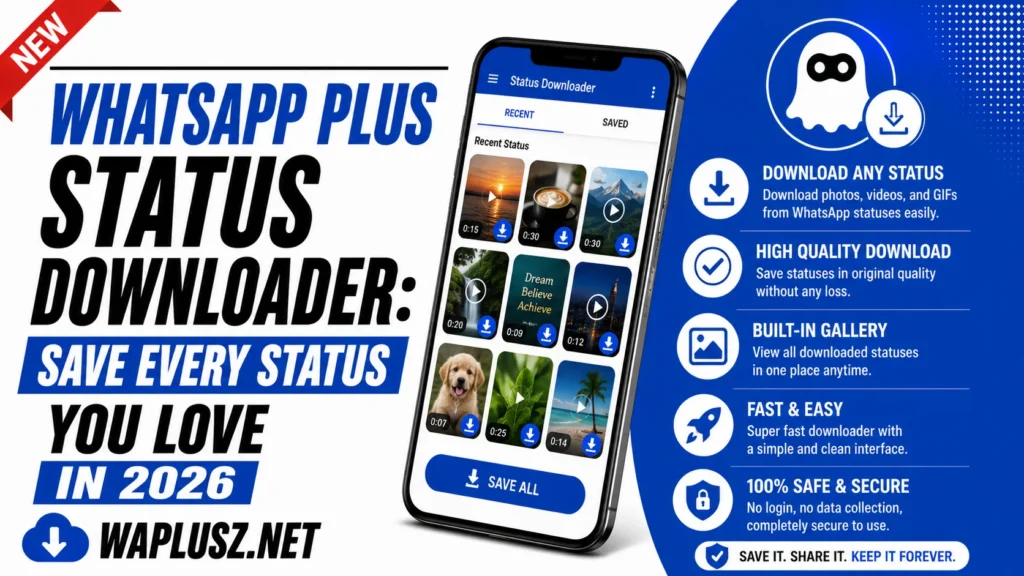
The WhatsApp Plus status downloader fixes that with one tap. This guide covers how it works, how to use it, what formats it handles, and the etiquette that comes with it.
What Is the Status Downloader?
The status downloader saves any status directly to your phone. Photos, videos, and text statuses all download in their original quality, and the file lands in your gallery like any other. No screenshots, no screen recording, no third-party app.
The official app has nothing like it, and never will, since statuses are designed to expire. That design is exactly what the feature overrides.
Paired with anti-delete for statuses, anything posted to status becomes permanent on your device whether the poster intended that or not.
Why People Want It
- Recipes and instructions: Someone posts steps you need after they’ve expired.
- Photos of family: Pictures of kids or events you’d otherwise lose.
- Business content: Product shots, price lists, and offers you need to reference.
- Memes and clips: The obvious one, and the most common.
- Event details: Times, addresses, and posters that vanish before you need them.
- Your own statuses: Recovering something you posted and no longer have.
That last one catches people out. Post a status, delete the original from your phone, and the status expires with no copy left anywhere. The downloader saves you from your own file management.
How to Download a Status
The feature is built into the status view, so there’s nothing to configure on most builds.
- Open WhatsApp Plus and go to the status tab.
- Tap the status you want to save so it plays.
- Look for the download icon, usually at the bottom of the screen.
- Tap it once and the file saves to your phone.
- Check your gallery or the app’s download folder to confirm.
Some builds put a download button on the status list before you open it. Others let you save all statuses at once with a single tap.
Text statuses usually save as an image rather than plain text. If you need the words, copy them instead.
What Formats It Handles
| Status Type | Downloads? | Saves As |
|---|---|---|
| Photo | Yes | Original resolution JPG |
| Video | Yes | Original quality MP4 |
| Text status | Yes | Image of the text |
| Voice status | On most builds | Audio file |
| GIF | Yes | MP4 or GIF |
| Status with music | Yes | Video with audio intact |
| Expired status | No | Nothing to save |
| Deleted status | With anti-delete on | Original file |
The important line is the second-to-last. The downloader works on statuses currently on your phone. Once something expires and clears, there’s nothing left to save.
Quality: The Real Advantage
The reason this beats a screenshot isn’t convenience, it’s quality. A screenshot captures your screen, so you get a compressed image at your phone’s resolution with the poster’s name and the progress bar baked in.
The downloader saves the original file. Full resolution, no interface elements, no compression on top of compression. For a photo you actually want to keep, the difference is obvious.
For video the gap is wider still. Screen recording produces a shaky, compressed file with your notification bar in it. The downloader gives you the actual MP4.
Where Files Are Saved
Most builds save to a folder inside your phone’s storage, often under the app’s own directory. Some send files straight to your gallery. Where yours lands depends on the build.
If downloads don’t appear in your gallery, they’re usually in a subfolder your gallery app hasn’t indexed. Open your file manager and look under the app’s folder.
Worth checking once at setup so you’re not hunting later.
The Etiquette Nobody Mentions
This is the part download pages skip, and it deserves a paragraph. Statuses expire by design. That’s not a technical limitation someone forgot to remove, it’s the entire premise, and people post to status precisely because it disappears.
Someone shares a photo with a hundred contacts knowing it’s gone tomorrow. They wouldn’t send that same photo as a permanent file to all hundred. Downloading it collapses that distinction without telling them.
The feature doesn’t ask permission and the poster never knows. That’s worth holding in mind, particularly for anything personal. A recipe is one thing, and a photo of someone’s kids is another.
None of this makes the feature bad. It just means the judgement is yours, since the app isn’t going to make it for you.
Silent Viewing
Most builds pair the downloader with silent status viewing, which keeps your name out of the poster’s viewer list. You can watch and save without anything registering on their end.
The toggle sits in the mod’s privacy or status settings. It’s separate from the downloader.
Same note applies. The viewer list is how people see who’s paying attention, and removing yourself is a quiet asymmetry they can’t detect.
Common Problems and Fixes
- The Download Button Doesn’t Appear
- Some builds put it on the status list rather than in the viewer. Check both. If it’s nowhere, your build may not include the feature.
- Downloads Don’t Show in the Gallery
- The files saved to a folder your gallery hasn’t indexed. Open your file manager and look under the app’s directory. Some gallery apps need a restart to pick up new folders.
- Video Downloads Fail
- Large videos need the full file on your phone before saving. Set media to auto-download so files land completely rather than partially.
- It Stopped After an Update
- Manual updates reset settings. Check the status section in the mod’s settings and re-enable anything that’s off.
- Text Statuses Save Blank
- Some builds struggle with text statuses on certain backgrounds. Screenshot those, or copy the text directly.
- Downloads Fill Up Storage
- Bulk downloading fills a phone quickly, especially with video. Clear the folder periodically or your storage disappears without you noticing.
Practical Tips
- Check your download folder once at setup so you know where files land.
- Use bulk download sparingly, because it fills storage fast.
- Clear the folder monthly, as saved statuses accumulate silently.
- Copy text statuses rather than saving them as images if you need the words.
- Think about what you’re saving, particularly with anything personal.
- Recheck after every update, since settings reset regularly.
Is It Worth It?
The status downloader is one of the most-used features in the mod, and it earns that. It’s fast, it preserves quality, and it solves an everyday annoyance the official app has no answer to. For anyone who’s screenshotted a status and squinted at the result, it’s an obvious improvement.
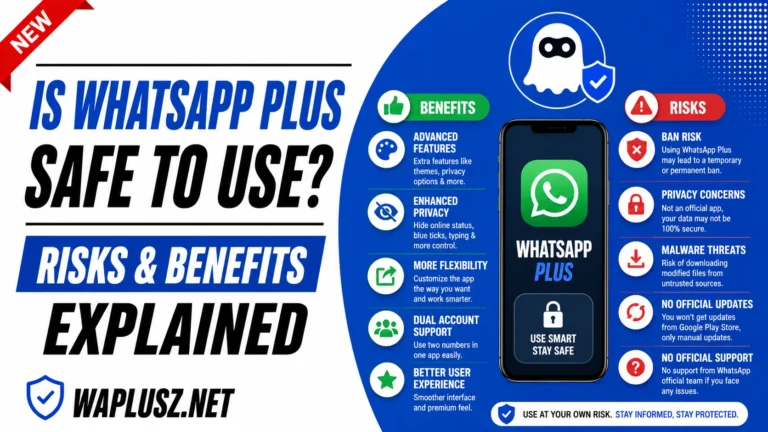
The wider trade is the same as with every feature here. An unofficial build on your main number, no verified encryption, real ban risk, in exchange for conveniences like this one. That’s covered in full in the safety guides on WAPLUSOFICIAL.NET.
Use it, keep an eye on your storage, and use some judgement about what you save. That’s the whole feature.