WhatsApp Plus Ban Guide How Bans Work and What to Do
If you’re reading this because your account just got banned, skip to the recovery section below. If you’re reading it before installing anything, you’re ahead of most people.
Account safety is the top concern for anyone using WhatsApp Plus, and it’s the question download pages answer worst. This guide covers how bans actually work, what to do when one hits, and what genuinely helps.
The Short Version
Using a modified WhatsApp client violates WhatsApp’s terms of service. They detect modified clients and ban the numbers using them. That’s the whole mechanism, and no build prevents it.
Bans come in waves rather than at random, tied to detection updates on WhatsApp’s side. This is why people report years of trouble-free use followed by a sudden ban that seems to come from nowhere.
Nothing protected them during the quiet stretch. Detection just hadn’t caught up.
Types of Ban
| Type | Duration | What Triggers It | Recoverable? |
|---|---|---|---|
| Temporary ban | Hours to a few days | First detection of a mod | Yes, wait it out |
| Escalating ban | Days to weeks | Repeat detection | Yes, but each is longer |
| Permanent ban | Forever | Repeat offences or spam | Rarely, via appeal |
| Spam ban | Often permanent immediately | Bulk messaging | Very rarely |
| Report-based ban | Varies | Other users reporting you | Sometimes, via appeal |
The path is usually predictable. First a temporary ban, then a longer one, then permanent. Each stage is a warning, and most people ignore the first two.
What Actually Triggers Bans
- The modified client itself: The main one. Detection keys on your app, not your behaviour.
- Bulk messaging: The fastest route to a permanent ban and entirely avoidable.
- Messaging strangers at volume: Generates reports, and reports bypass every technical trick.
- Impossible actions: Behaviour the official app can’t produce, like reading a message deleted before delivery.
- User reports: Someone reporting your number puts a human in the loop and no camouflage helps.
- Outdated builds: Old versions are the ones detection has already learned.
- Business outreach on a personal number: Marketing on a mod is asking for it.
Note that only some of these are in your control. That’s the honest shape of the risk. You can eliminate the avoidable triggers and the base risk stays.
If You Have a Temporary Ban
You’ll see a message telling you the account is temporarily banned with a countdown. This is the recoverable one.
- Don’t open the app repeatedly, since activity during a ban can extend it.
- Don’t reinstall or switch builds, which is how temporary becomes permanent.
- Wait for the timer to run out fully.
- Back up your chats now while you still can, since the next ban may be permanent.
- Decide before it expires whether you’re continuing on the mod or moving.
Most people wait it out and carry on, then get a longer ban a few weeks later. The temporary ban is information, and it’s worth treating as such.
If You Have a Permanent Ban
This is harder and not always hopeless.
- Back up your local chats immediately if the app still opens enough to let you.
- Copy the backup folder off your phone to a computer or cloud storage.
- Uninstall the mod completely.
- Install official WhatsApp from the Play Store.
- Register with your number and let it fail if it’s banned.
- Tap the support or request review option in the ban message.
- Write a short, honest appeal and don’t claim you never used a mod, since they know.
- Wait, as reviews take days rather than hours.
Appeals succeed sometimes. They succeed more often when you’re on the official client, because that’s the first thing checked. Appealing from a mod is close to pointless.
What Doesn’t Work
This list exists because these are the suggestions you’ll find everywhere else.
- Installing a different mod: You’re still on a modified client. The ban stands.
- A build with a higher anti-ban number: The number is invented and changes nothing.
- Using a VPN: Detection is client-side. Your location is irrelevant.
- Clearing app data: The ban is attached to your number, not your installation.
- Waiting out a permanent ban: Permanent means permanent.
- A new SIM in the same phone: Works, and you’ve lost your number and your history.
- Contacting support from the mod: They can see what you’re running.
Every one of these appears on download pages as advice. None of them work, and the first one actively makes things worse by confirming the pattern.
Recovering Your Chats
This is the part people panic about, and it’s usually salvageable. A ban locks your account, not your phone.
Your messages live in a local backup folder on your device. Find it in your file manager under the app’s directory, and copy the whole folder somewhere safe before you uninstall anything.
Restoring a mod backup into official WhatsApp is inconsistent. It works on some builds and fails on others, since the file formats have drifted apart. Try it, and don’t count on it.
If it fails, your history is still in that folder. Keep it. Tools and methods change, and a folder costs nothing to store.
Reducing Your Risk
None of these are guarantees. All of them beat a version number.
- Use a secondary number: The single most effective step. A ban costs you a spare SIM.
- Never bulk message: The fastest ban trigger and completely within your control.
- Don’t message strangers at volume: Reports bypass everything technical.
- Keep the build current: Old builds are the caught ones.
- Don’t run business outreach on it: That’s a permanent ban waiting.
- Back up weekly: A ban is survivable, losing years of chats isn’t.
- Copy backups off the phone: A local file on a phone you can’t access helps nobody.
- Keep your main number official: If you can’t afford to lose it, don’t expose it.
Should You Go Back After a Ban?
Worth thinking about rather than reflexively reinstalling.
A ban means detection found you. Reinstalling the same mod, or a different one, puts you back in front of the same system that just caught you, and the second ban is longer than the first.
The features are real and the risk is real, and after a ban the risk is no longer theoretical for you specifically. That’s new information.
Official WhatsApp has added chat locks, dual accounts, and translation over the last few years. Whether that covers what you actually use is worth checking before you install anything again.
The Honest Summary
Bans are a real, ongoing cost of using WhatsApp Plus, not a rare accident that happens to careless people. The risk rises and falls on a cycle you can’t see, and the only variable you fully control is which number you expose to it.
If you want the features, use a spare number, back up weekly, and avoid the triggers you can. If the number matters, keep it on official WhatsApp.
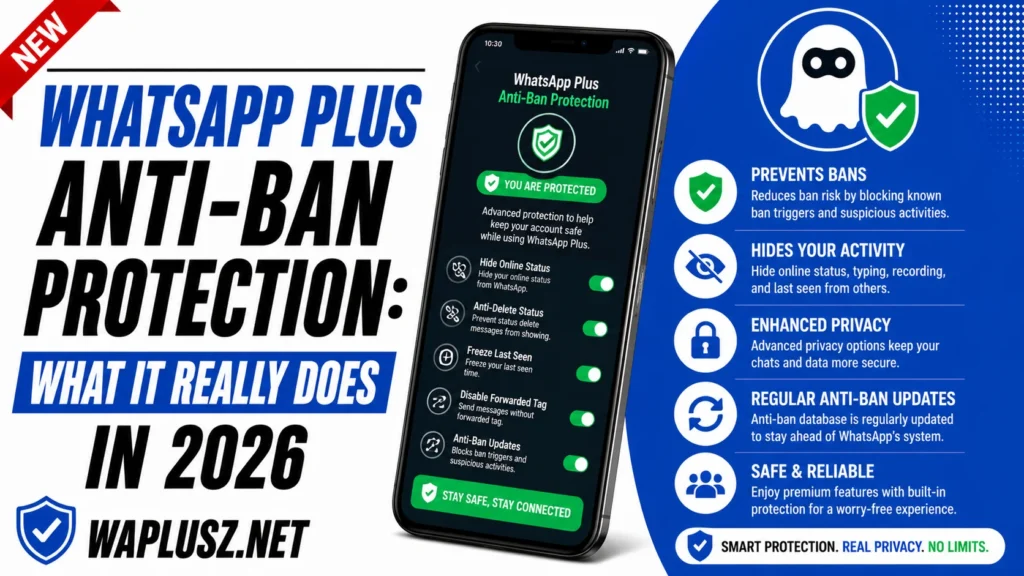
Anyone promising you a version number that solves this is selling a download. The full picture on what anti-ban actually does is in the companion guide on WAPLUSOFICIAL.NET.