WhatsApp Plus and Encryption What’s Actually Protected in 2026
Search for WhatsApp Plus and you’ll find download pages promising advanced encryption, military-grade security, and full end-to-end protection. Some invent version numbers for it. The claims are confident, specific, and mostly wrong, and this is the one topic where getting it wrong has a real cost.
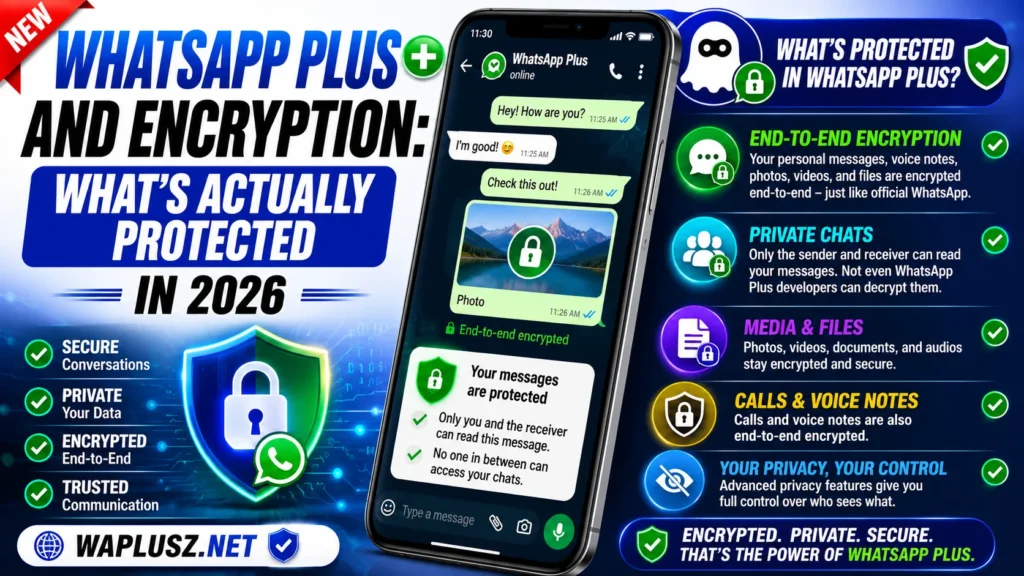
This guide explains what encryption is, what WhatsApp Plus actually does with it, where the protection holds, and where it doesn’t. It’s the least exciting page on this site and probably the most useful.
What End-to-End Encryption Means
End-to-end encryption scrambles a message on the sender’s device and unscrambles it only on the recipient’s. Nobody in between can read it, including the company running the servers. That’s the whole idea, and it’s why WhatsApp adopted it.
The critical detail hiding in that description is the word “device”. Encryption protects a message in transit between two phones. It has never protected anything from the app doing the encrypting.
That distinction is where every misleading claim about mod encryption lives.
What WhatsApp Plus Actually Does
WhatsApp Plus connects to WhatsApp’s real servers using WhatsApp’s real protocol. It has to, or it couldn’t send a message to anyone. The encryption between your phone and the recipient’s phone is therefore genuine WhatsApp encryption, because it’s the same system.
So messages in transit are encrypted. That part of the claim is true.
What isn’t true is the implication people take from it, which is that your messages are as protected as they’d be on the official app. They aren’t, and the reason has nothing to do with the encryption itself.
The Endpoint Problem
Encryption protects messages between endpoints. Your app is an endpoint. It reads every message in plain text before encrypting it and after decrypting it, because that’s the only way it can show you anything.
On official WhatsApp, that endpoint is code that’s been independently audited, published, and examined by security researchers for years. On WhatsApp Plus, that endpoint is a modified build from an anonymous developer, distributed as a file on websites, with no source code available to anyone.
The encryption is fine. The question is what the app does with your messages before it encrypts them, and nobody outside the developer can answer that.
What This Means in Plain Terms
| Layer | Official WhatsApp | WhatsApp Plus |
|---|---|---|
| Message in transit | Encrypted | Encrypted |
| Encryption protocol | Signal Protocol, audited | Same protocol, inherited |
| App source code | Independently reviewed | Not available to anyone |
| Build verification | Play Store signed | Unsigned, unverifiable |
| What the app can read | Everything, by design | Everything, by design |
| Accountability for the app | A company with legal duties | Anonymous, none |
| Can you verify claims? | Yes, via audits | No |
Read the last three rows together. Both apps can read your messages, because both apps have to. The difference is that one of them is answerable for what it does with them and one isn’t.
Why “Advanced Message Encryption” Isn’t a Thing
Some download pages advertise features with names like Advanced Message Encryption or Encryption 4.0, presented as improvements over the official app. These aren’t real. There’s no such protocol, no such standard, and no mod developer has improved on the Signal Protocol.
The names exist because they’re reassuring and they’re easy to invent. A version number makes a claim sound technical, and most readers won’t check.
If a page claims a mod has better encryption than official WhatsApp, that’s the clearest signal available that the page isn’t reliable on anything else either.
The Contradiction to Watch For
Here’s a test you can run on any download page in about thirty seconds. Look for the encryption section, then look for the pros and cons table.
A surprising number of sites claim advanced encryption in one section and list “no guaranteed encryption” as a disadvantage in another, on the same page. Both statements can’t be true. The second one is.
That contradiction isn’t an accident. The encryption claim sells the download, and the disclaimer covers them when it goes wrong.
What Is Actually Protected
Being fair to the app matters here, because the picture isn’t all bad. Real protections exist and they’re worth knowing.
- Messages in transit: Genuinely encrypted, same as official, because it’s the same protocol.
- Your chats from other people on your phone: The app lock and chat lock work as described.
- Your activity from other users: The privacy toggles hide last seen, typing, and ticks effectively.
- Your media from your gallery: The hiding option keeps received files out of your camera roll.
- Your account from casual access: Two-step verification works normally.
Every item on that list protects you from people. That’s the pattern, and it’s a genuine one.
What Isn’t Protected
- Your messages from the app itself: The build reads everything in plain text and no toggle changes that.
- Your data from the developer: You have no visibility into what leaves your phone.
- Your account from bans: Encryption has nothing to do with detection, which keys on the client.
- Your device from a tampered build: Repackaged messengers are a known malware route.
- Your ability to verify any of this: No source code, no audit, no way to check.
Can You Verify a Build Yourself?
Mostly, no, and it’s worth being straight about that rather than offering false comfort.
A virus scan tells you whether a file matches known malware signatures. It doesn’t tell you whether an app quietly sends your messages somewhere, because that isn’t a virus, it’s a feature the developer chose. A clean scan and a data-harvesting app look identical to a scanner.
Some sites publish scan results as proof of safety. Worth knowing that these are trivially faked, and a genuine result would still only prove the narrow thing scans can prove.
What you can actually do is limited but not nothing:
- Check the permissions the app requests and treat anything unrelated to messaging as a stop sign.
- Watch your data usage for unexplained background traffic.
- Watch your battery for drain that doesn’t match your use.
- Assume the worst about the code, because you cannot rule it out.
Practical Advice
None of this means nobody should ever use a mod. It means knowing which conversations belong where, and that’s a decision you can make sensibly once the facts are straight.
- Keep financial conversations on official WhatsApp, including anything with account numbers or payment details.
- Keep work and client chats official if you’re handling anyone else’s information, since that isn’t only your risk.
- Keep medical, legal, and family-sensitive chats official, where verified encryption is the entire point.
- Use a secondary number for the mod, which limits what’s exposed if something goes wrong.
- Enable two-step verification on whichever client you use.
- Don’t rely on encryption claims from any download page, including this one, since claims aren’t verification.
Frequently Asked Questions
Messages in transit are, since the mod uses WhatsApp’s own protocol. The app itself is unverified, so the encryption doesn’t tell you what happens to your messages on your own device.
No. Same protocol, unverified endpoint, no audit, no accountability. The protocol is the easy part.
A marketing term with no technical meaning. It appears on download pages because it sounds credible.
Nobody can rule it out, which is the honest answer. The app has full access by design and there’s no way to check what it does with it.
For anything that would hurt if it leaked, use the official app. For everyday chat, it’s your call with the facts in hand.
Final Thought
The encryption question has a short answer. WhatsApp Plus inherits real encryption and puts it behind an app nobody can inspect, which means the protection is real in transit and unverifiable everywhere else.
That’s not a reason to panic and it’s not a reason to trust the marketing. It’s a reason to be deliberate about which conversations you put where, and to treat any page promising better-than-official encryption as one that’s decided you won’t check.
The full safety picture and the ban question are covered in the other guides on WAPLUSOFICIAL.NET. This page just covers the part most sites get wrong on purpose.